Weekly Heat
🏆 Traffic Escape Weekly Challenge
Push your best Traffic Escape score this week. Top runs appear below — beat them, favorite the game, and share your result with friends.
Resets each Monday · Official cups also run on Sudoku, 2048, Type Racer & Word Chain
📅 This Week’s Top Traffic Escape Scores
Live weekNo weekly scores yet for Traffic Escape.
Be first on the board — finish a run and your score can appear here.
TOP SCORES
Game Guide
Traffic Escape — Complete Guide
Master Traffic Escape on Arkade Game: how car sliding works, every mode from City to Emergency, undo and hint strategy, and how to free the red car fast.
About the Game
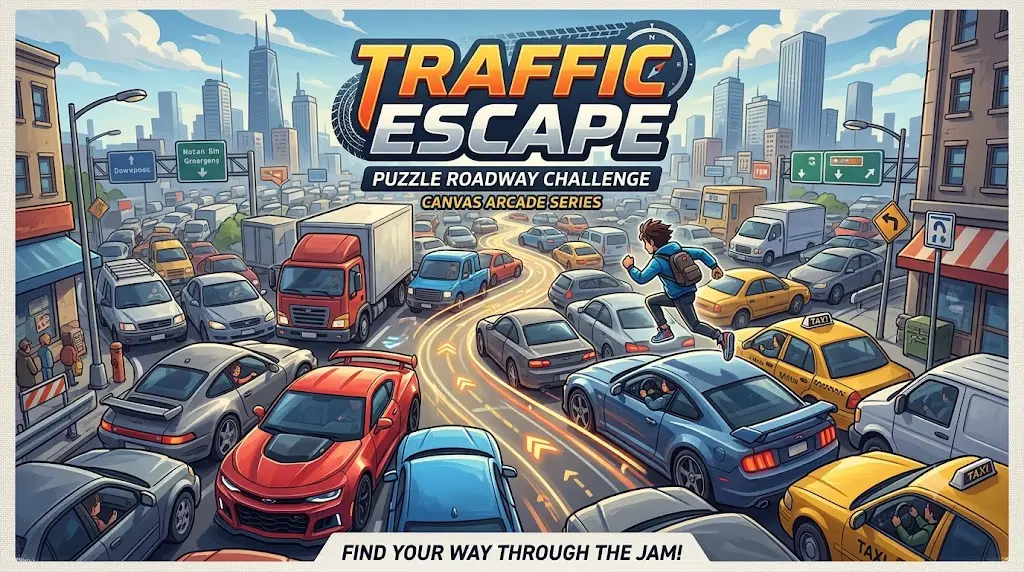
Traffic Escape is a Rush Hour-style sliding car puzzle built around one simple promise: every car on the lot can move, but only in the direction it is already facing. Your job is to work out the order in which cars need to pull forward so the red car in the middle eventually has a clean lane to the exit. There is no steering to learn and no physics to fight — the challenge lives entirely in sequencing.
That simplicity is what makes the puzzle scale so well, from a two-minute warm-up lot to a dense city grid packed with a dozen vehicles and a ticking clock. The genre has stayed popular for decades precisely because the fixed-direction rule is so easy to state yet still produces genuinely tricky configurations.
Traffic Escape leans into that by wrapping the same core idea in nine distinct modes — Classic, Parking Jam, Rush Hour, City, Highway, Emergency, VIP, Timed, Daily, and Weekly — each reshaping the win condition without ever changing the underlying sliding logic.
How to Play
Pick a mode from the hub, then tap Play to load a lot. Tap any car and it drives forward automatically along the direction it faces — there is no dragging distance to judge, just a decision about which car moves next. Release cars in the order that keeps every lane open, watching for other vehicles or construction cones sitting in the path. A blocked lane causes a crash, which ends that attempt, so Undo exists specifically to let you back out of a bad sequence.
Controls
- **Tap or drag** — send a car forward along its facing direction
- **Arrow keys / WASD** — alternate desktop input for selecting and moving cars
- **Undo** — reverse your last move at no cost
- **Hint** — reveal a suggested next move when stuck
Objective
Slide vehicles out of the way to free the red car through the exit. VIP mode instead focuses on freeing a specific VIP car, and Emergency mode requires rescue vehicles to leave before regular traffic, but the underlying goal in every mode is clearing a path for one target vehicle.
Beginner Tips
- Scan for any car with a completely clear lane to an exit and clear it first — it costs nothing and opens space.
- Watch traffic lights in City mode; wait for green before committing a car to that lane.
- Use Undo liberally while learning a new lot — it is free and reversible.
- Save Hint for boards where you are genuinely stuck rather than every level.
Advanced Strategies
Trace the intended exit lane backward from the exit itself toward the target car, noting every vehicle currently sitting across that path. This backward read is usually faster than scanning car by car, because it directly answers the only question that matters: what, in order, has to leave for this lane to open. On denser City and Highway lots, this often reveals a short chain of two or three cars that must move in a specific sequence before you touch anything.
Common Mistakes
- Moving the target car too early, before the lane ahead is actually clear.
- Ignoring smaller vehicles parked at the edges — they often block a larger car's path later.
- Fixating on the clock in City or Highway mode and making rushed moves that create new blockages.
- Moving the rescue vehicle out of turn in Emergency mode instead of prioritizing it first.
Winning Techniques
Consistent solvers read the whole lot before touching a single car, identifying the full sequence mentally rather than moving reactively and hoping a crash does not happen. In Emergency and VIP modes specifically, confirming the correct priority vehicle before making your first move avoids failing a lot you had otherwise solved correctly.
Mobile Tips
Tap firmly in the center of a car rather than near its edge to avoid accidentally selecting a neighboring vehicle on a crowded lot. Use Undo freely on mobile since a mistaken tap is easy to make on a small screen and costs nothing to reverse.
Keyboard Shortcuts
Arrow keys and WASD move the currently selected car forward along its facing direction, offering an alternate input to tapping directly on desktop. There are no additional shortcuts beyond Undo and Hint buttons in the interface.
Features
- Nine distinct modes including City, Highway, Emergency, and VIP
- Undo and Hint tools for stuck lots
- Daily and Weekly shared-seed challenges
- Coins, XP, and progress tracked per level
- Lucky wheel and daily login rewards
Game Modes
Classic and Parking Jam ask you to free the red car through a fixed exit. City mode adds traffic lights that must show green before a car can legally exit through that lane. Highway and Rush Hour introduce a countdown timer, while Emergency mode requires rescue vehicles to leave before regular traffic. VIP mode ends the moment its target car escapes regardless of remaining blockers, and Daily and Weekly modes lock in a shared layout for fair comparison between players.
Frequently Asked Questions
**How do I move cars?** Tap or drag a car and it drives forward automatically along its facing direction. **Why did I crash?** A crash happens when you send a car into a lane another vehicle or cone still blocks. **Why trace the exit lane backward?** It directly answers what has to leave, in order, for the lane to open. See the full FAQ list below for details on VIP, Emergency, and City mode specifics.
Final Thoughts
Traffic Escape turns a genuinely old puzzle format into something that still feels fresh because of how many modes reshape the same core mechanic — a timer here, a traffic light there, a rescue priority somewhere else. It plays free in your browser with no install, supports touch, mouse, and keyboard equally well, and rewards planning over reflexes in a way that keeps earning a spot in your rotation.
Explore more in all free online games or jump to Block Escape, Pipe Connect, Gravity Maze . Strategy write-ups also live on the Arkade Game blog.
🎮 Why You'll Love This Game
You’ll love Traffic Escape for sliding cars until the red one finally sees daylight. Slide vehicles to free the red car through the exit — and Arkade Game keeps progress with XP, coins, and leaderboards so every short session still counts.
🧠 Skills You Improve
-
Logic 5/5
-
Memory 3/5
-
Speed 2/5
-
Strategy 4/5
-
Reflexes 1/5
📈 Difficulty Meter
Medium · Easy–Expert
⏱ Average Match Time
5–12 minutes
🔥 Trending Score
72/100
🆕 Last Updated
⭐ Best For
🏆 Community Challenges
- Complete today’s daily challenge for Traffic Escape and claim streak rewards.
- Solve today’s puzzle under the suggested move count.
- Finish one harder difficulty without using hints.
📊 Player Statistics
- All-time plays
- 400
- Player rating
- No votes yet
- Top score
- Be the first
- Category
- puzzle
🎯 Related Games
More titles that pair well with Traffic Escape.




Guides & Blog Articles
Strategy deep-dives live in the Blog — not mixed into other site areas.
Best Puzzle Games Online: Top Picks for Every Skill Level
From Sudoku and 2048 to Nonogram and Gravity Maze — discover the best puzzle games online and learn how daily...
Read article →The Complete Guide to Puzzle Games Online
Learn how to choose, play, and master online puzzle games — from Sudoku and 2048 to Nonogram and Minesweeper —...
Read article →